Deleting your account
You can close your ChatBill account yourself, whenever you like, on any plan. It takes everything with it and there is no undo, so this walks through what goes, what to save first, and what happens to your subscription.
-
1. Download your data first
Do this even if you're sure. Every invoice and quote you've ever sent comes down as a PDF, exactly as your customer got it, along with spreadsheet files of the same documents, your clients and your prices. It's one ZIP and it takes a moment.
Once the account is deleted we cannot get any of it back for you, and that isn't a policy we can bend, there is genuinely no copy left. Your invoices are also your tax records, so keep the file somewhere safe. The full guide is getting your data out.
-
2. My profile, then Your data & deleting
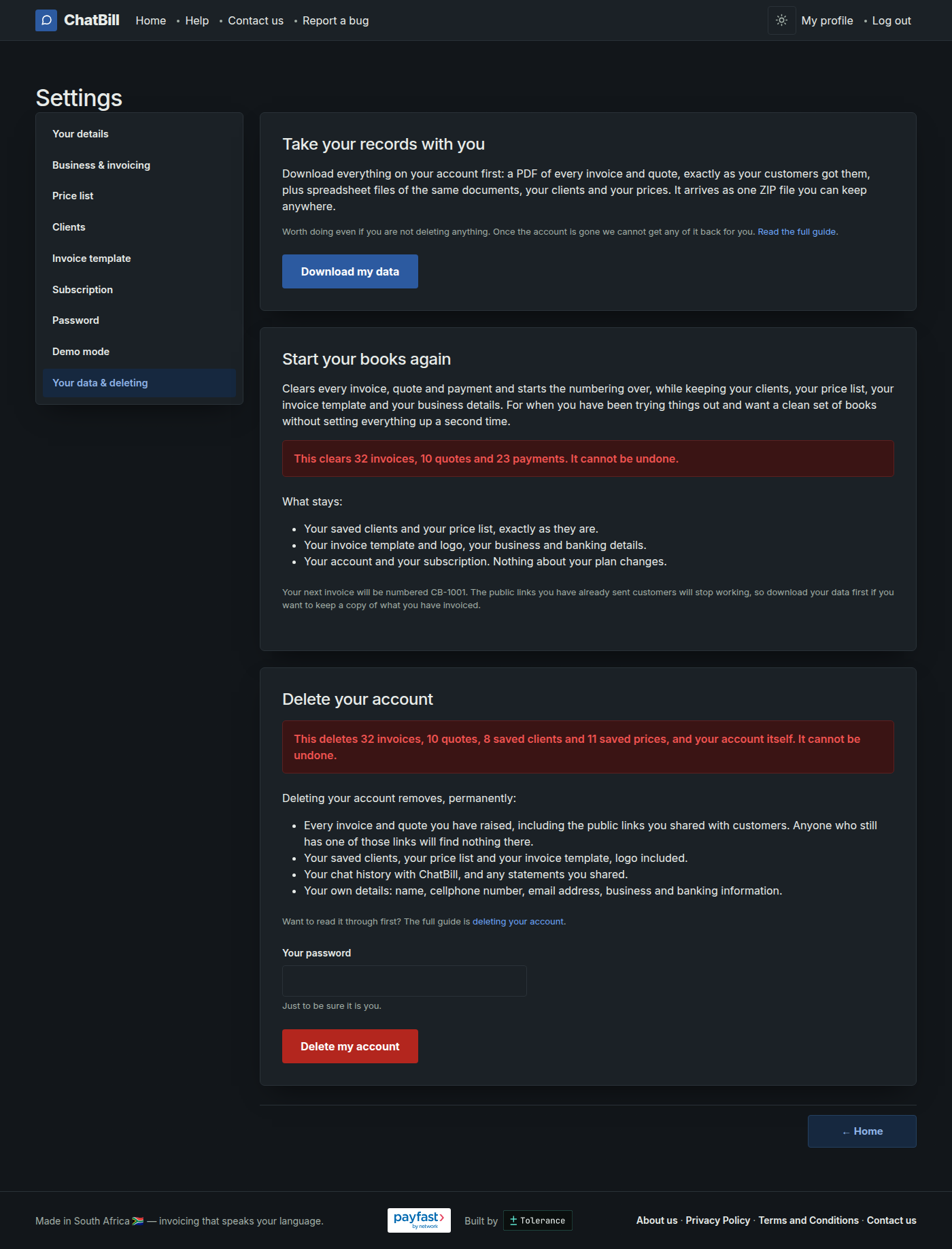
My profile at the top of the page, then Your data & deleting at the bottom of the settings menu. The download button is at the top of that page and the delete section is underneath it.
Before you go any further, read what the red box says. It counts your actual invoices, quotes, clients and saved prices, so you can see the size of what you're about to lose rather than guessing at it.
-
3. Enter your password and confirm
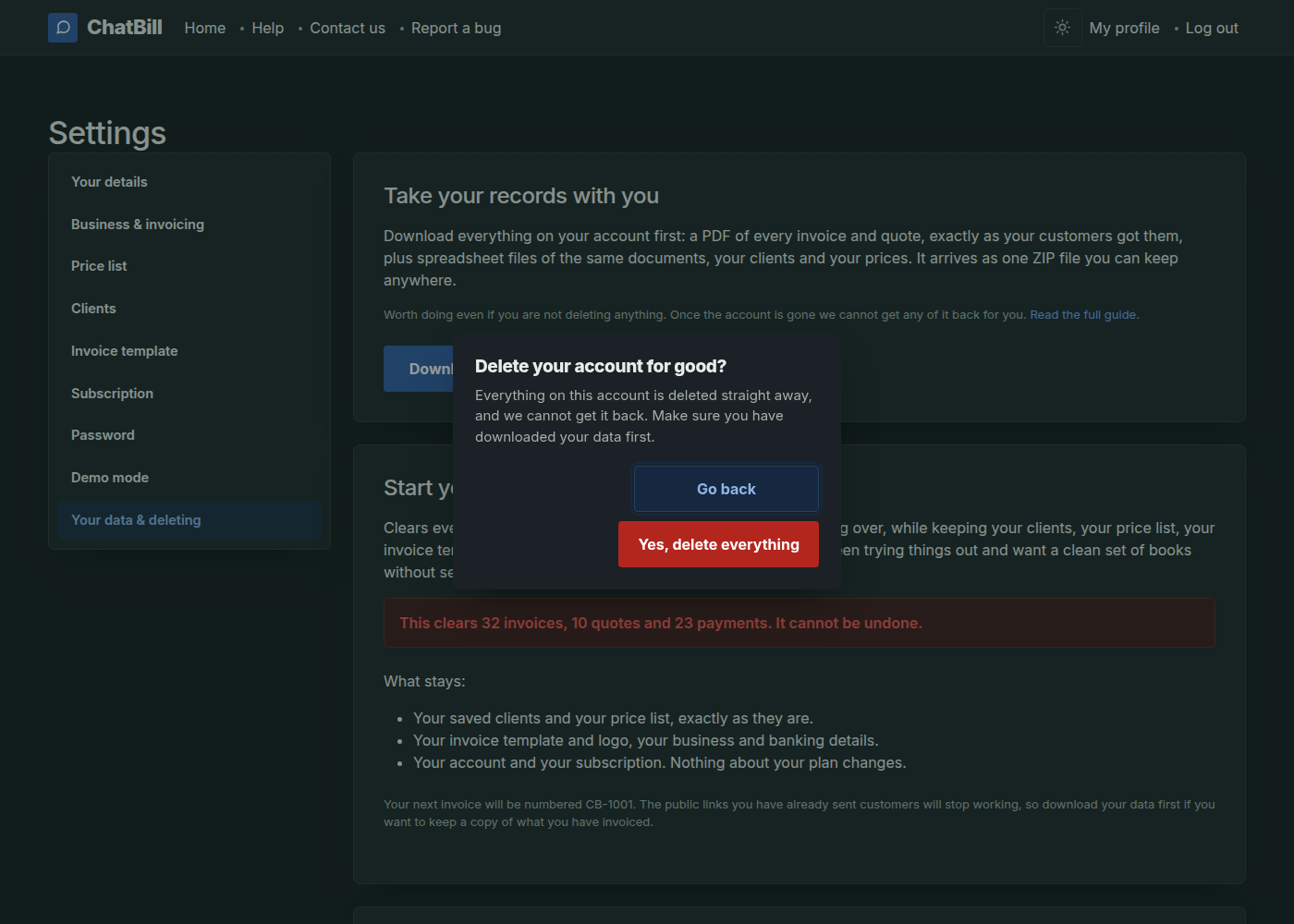
Deleting asks for your password even though you're already signed in. That's on purpose: it's the one action on the account that can't be taken back, and a phone left unlocked on a bakkie seat shouldn't be able to do it. Then it asks once more.
The moment you confirm, you're signed out and it's done. There's no grace period and no email to click, so the confirmation box is the last chance to change your mind.
-
What gets deleted
- Every invoice and quote you've raised, with the public links your customers open them on. Anyone still holding one of those links will find nothing there, so if a customer might still need a copy, send it to them before you delete.
- Your saved clients, your price list, and your invoice template with its logo.
- Your chat history with ChatBill, and any statements you shared.
- Your own details: name, cellphone number, email address, business information and banking details.
Your cellphone number and email are freed up as well, so nothing stops you signing up again later. It will be a fresh account with nothing in it, and your invoice numbering starts over.
-
If you're on a paid plan
Cancel your subscription first. While it's still running the delete page won't let the account go, and it sends you to your subscription instead. That way the billing is stopped, and you can see for yourself that it stopped, before anything is erased. Cancelling is under subscribing to Basic or Pro.
Cancelling doesn't cost you the days you've already paid for: you keep working right up to the day it's paid to, and everything you've sent stays where it is. Deleting the account after that is what removes it all. If it's only the billing you wanted to stop, you can leave it there and keep the account.